HIPAA Compliance Checklist for 2025

Duplicate SaaS apps don’t show up in dashboards. They hide in expense lines, team budgets, and “quick sign-ups,” slowly inflating spend without anyone noticing. One company discovered nine tools doing the same job, all paid for by different teams, without a single renewal ever being reviewed together.
If your spending feels higher than it should be, this is usually why.
This article breaks down why duplicate apps happen, the hidden cost behind them, and how CloudEagle helps you uncover and eliminate redundant spend with certainty.
How Teams Typically Try to Identify Duplicate Apps?
Everyone agrees duplicate SaaS apps waste money, but very few teams have a reliable way to find them. The reality is messy: tools are bought on credit cards, teams adopt apps independently, spreadsheets rarely survive more than a week, and SSO visibility covers only a fraction of the SaaS footprint.
Without a unified source of truth, organizations fall back on manual, outdated, and incomplete methods that surface some duplication but miss most of it.
Here’s what identifying duplicate apps looks like today:

How CloudEagle.ai Automatically Uncovers Duplicate Apps and Overlapping Spend?
Most tools detect duplicates from one data source, such as SSO activity, browser plugins, or expense lines. CloudEagle.ai correlates usage, spend, contract, and access signals, then works through duplication in order: it builds one inventory, cleans and groups it, checks usage, lines up contracts, and tells you what to keep.
A. Pull Every App and Payment Into One Inventory
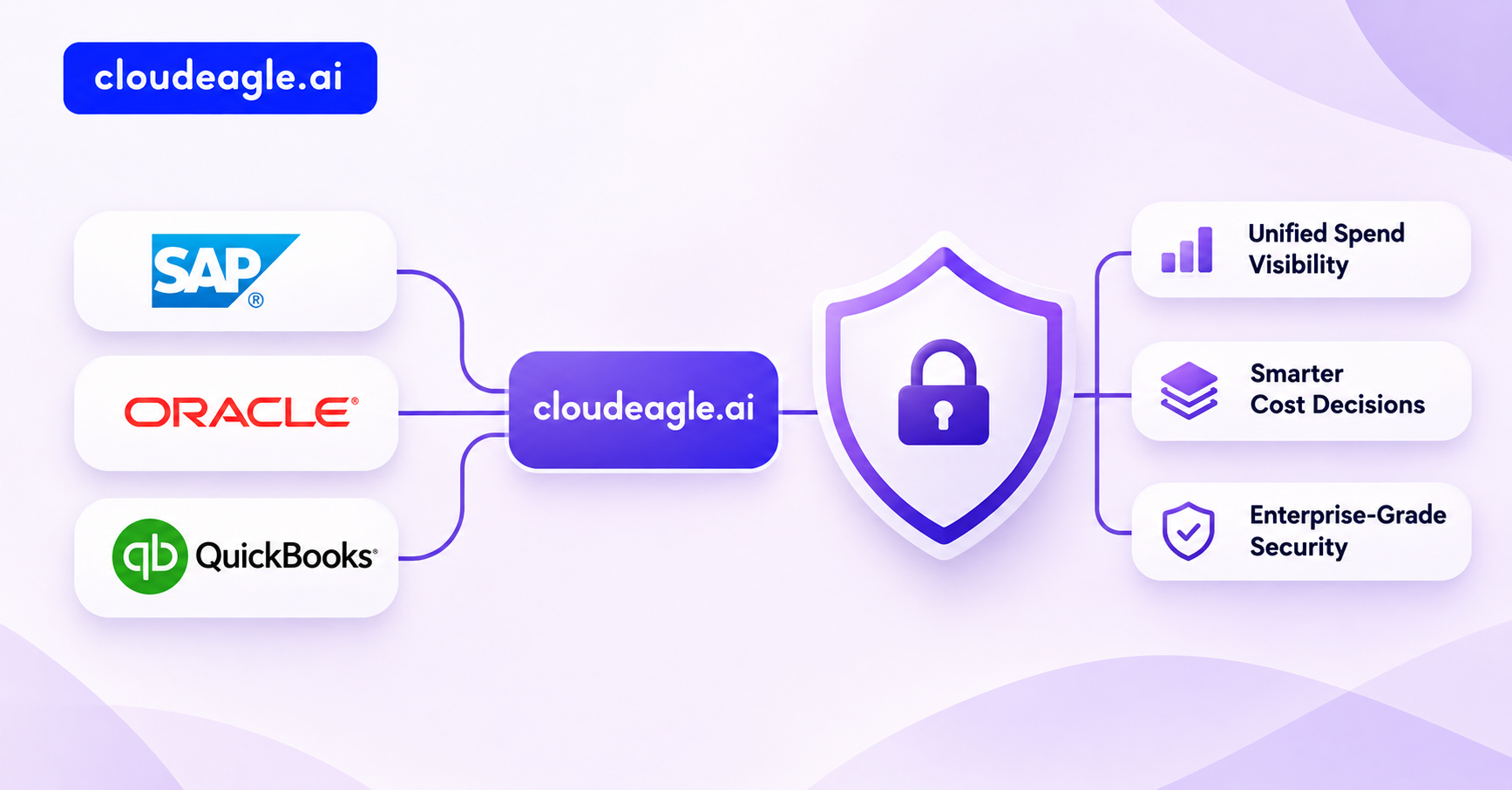
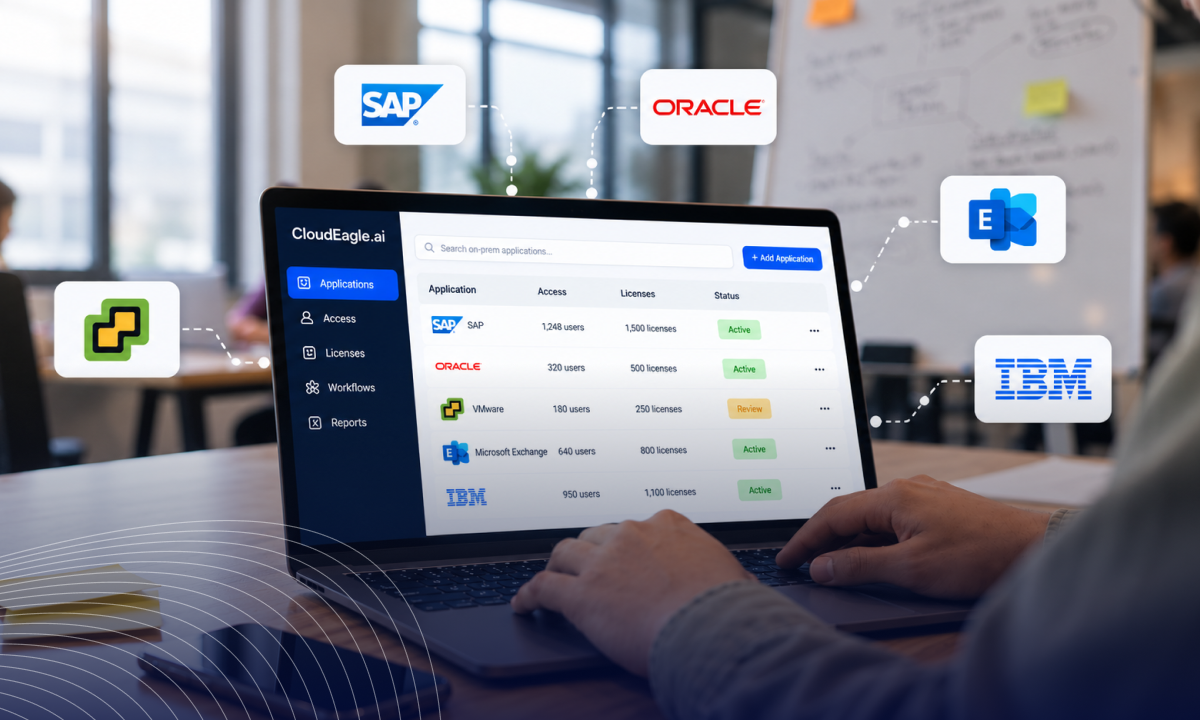
CloudEagle.ai connects to your identity provider, corporate cards, ERP, expense tools, and 500+ direct app integrations. Apps bought on a manager's card sit next to the ones IT provisioned through SSO.
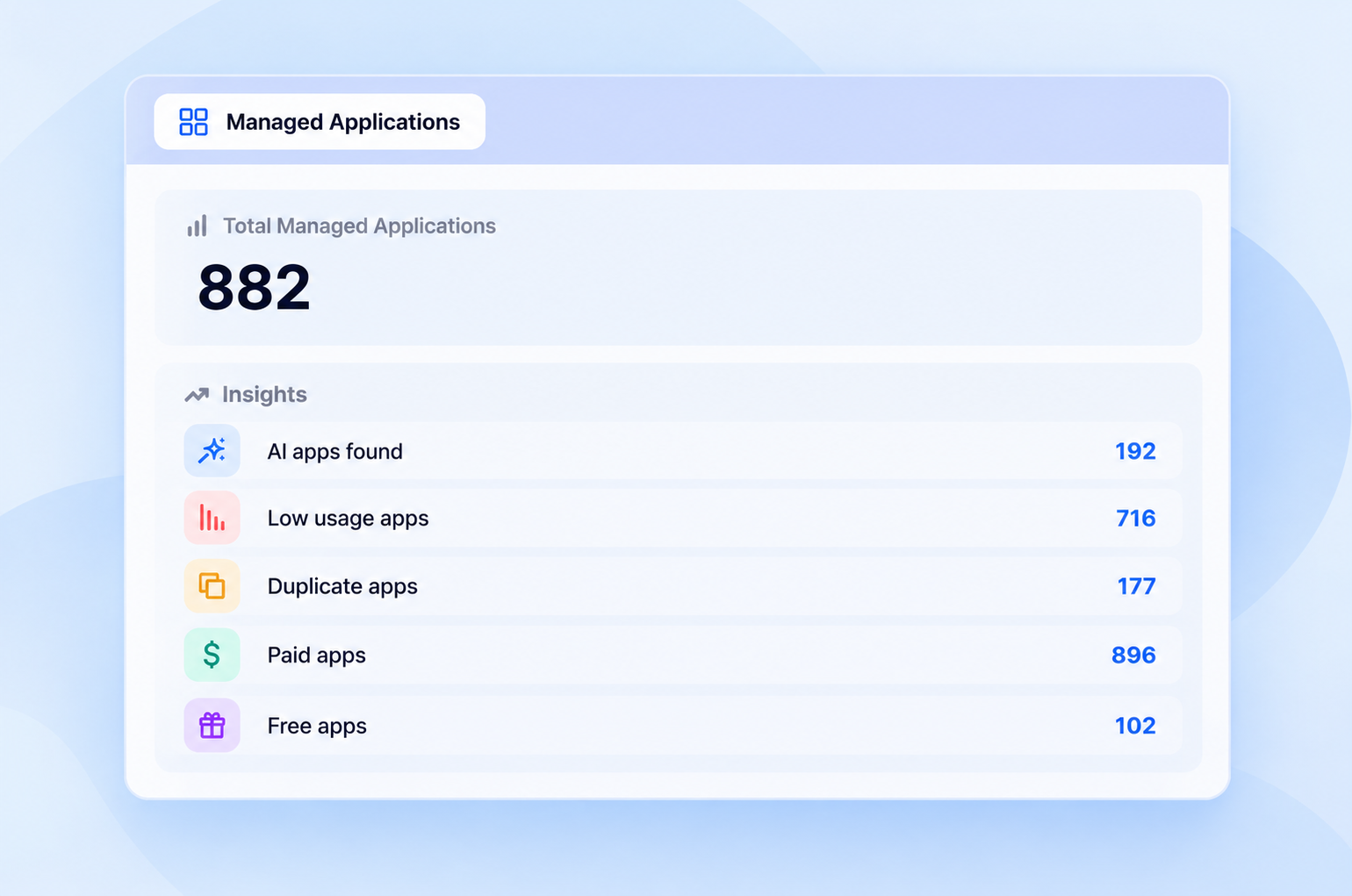
The result is one list of every subscription and payment, including tools that never went through IT. That list is still messy.
B. Merge Vendor Name Variants Into One Record
The same product shows up as "Adobe Inc." on a card statement, "Creative Cloud" in SSO, and under a reseller's name on an invoice. CloudEagle.ai's Smart Vendor Merge View groups these variants together, and exact matches are merged automatically, with controls for reseller purchases.
This is where the first duplicates appear: two teams paying for the same tool through different purchase paths.
C. See Every Category Where You Pay for More Than One Tool
Click the duplicate apps count on the dashboard, and CloudEagle.ai opens the application rationalization view: every category where more than one app does the same job. Each category shows how many applications sit inside it.
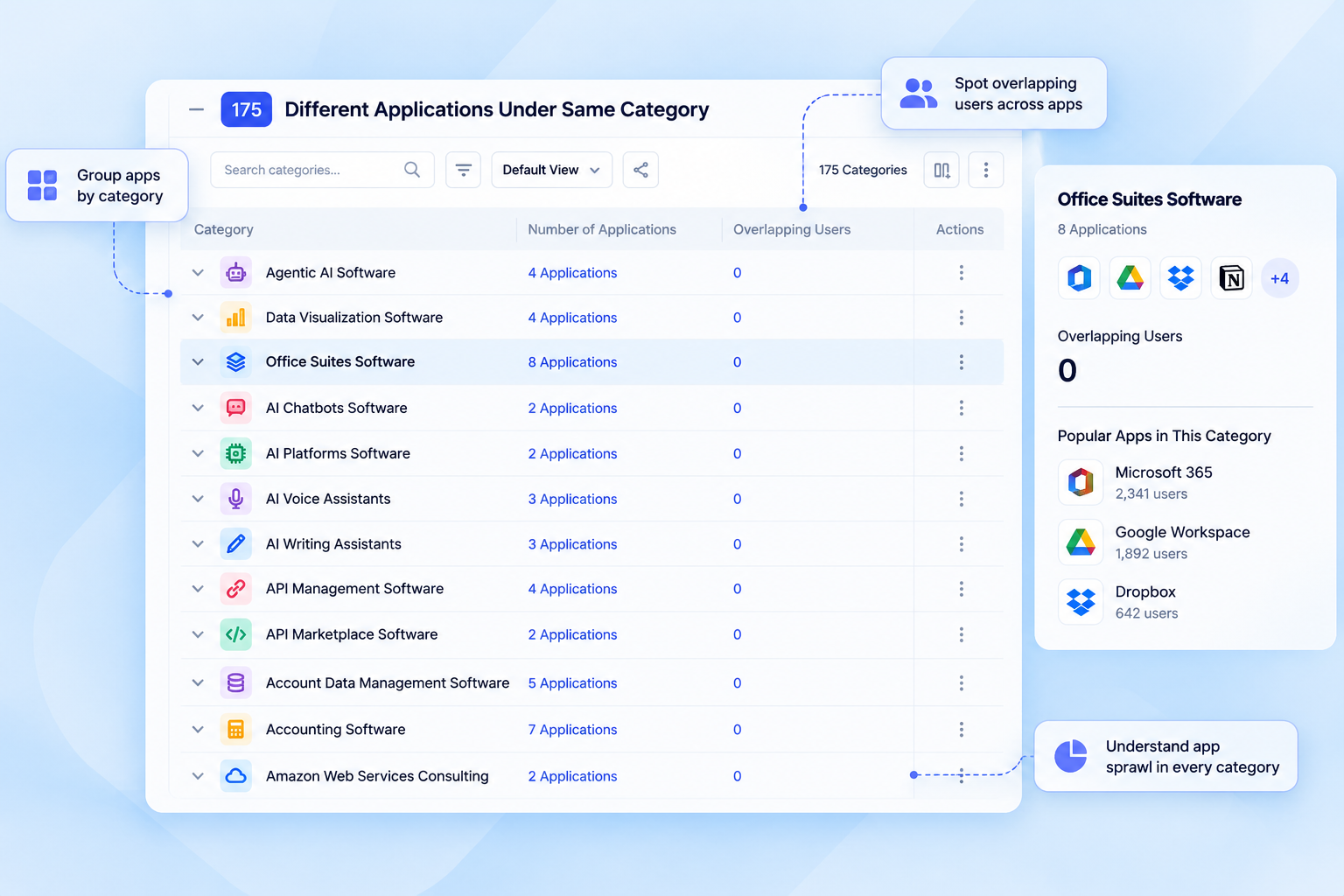
A company can find eight office suite tools running at once. The next question is which ones people use.
D. Use Overlapping Users and Usage to Pick What Goes
The same screen counts overlapping users: people holding accounts in more than one app in that category. High overlap means the same employees are paid for twice, which is the fastest consolidation win. Zero overlap means each team bought its own tool, so the call is which one becomes the standard.
Usage settles it. CloudEagle.ai pulls active users and last login dates from each app, so a tool with 40 paid seats and six active users stands out.
For more on how this matching works, including duplicate accounts inside a single app, see how CloudEagle.ai identifies duplicate apps and users.
Once you know which tool goes, the contract decides when you can act.
E. Time the Cut With Renewal Dates and Price Benchmarks
CloudEagle.ai ingests order forms, invoices, and renewal documents, and the renewal calendar flags which overlapping tools renew in the next 90 days.
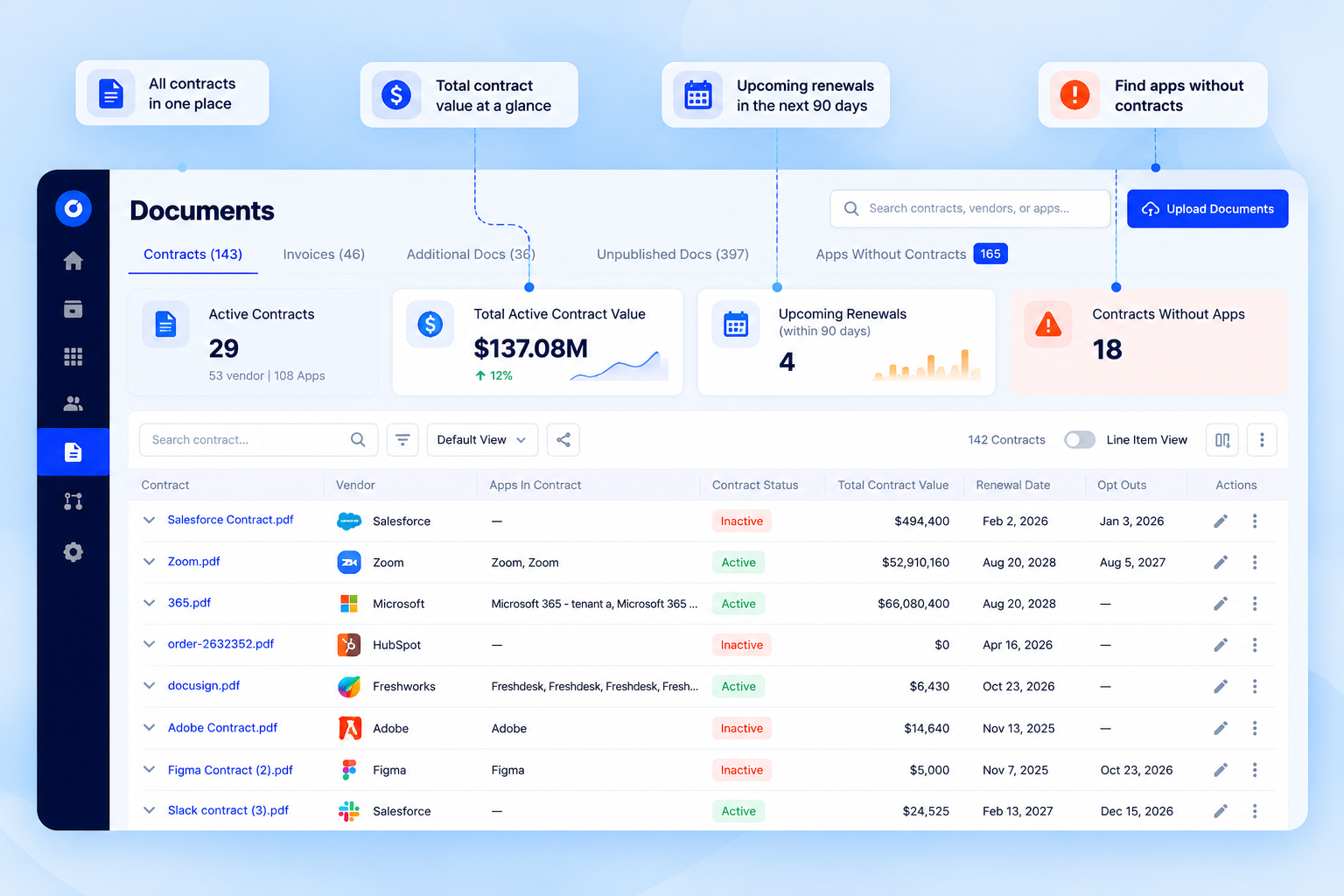
Price benchmarks show whether the tool you keep is priced fairly before it absorbs extra users.
F. Reclaim Licenses and Track Realized Savings
Users on the retired tool move to the standard one, and idle seats on the tool you keep get right-sized through license harvesting.
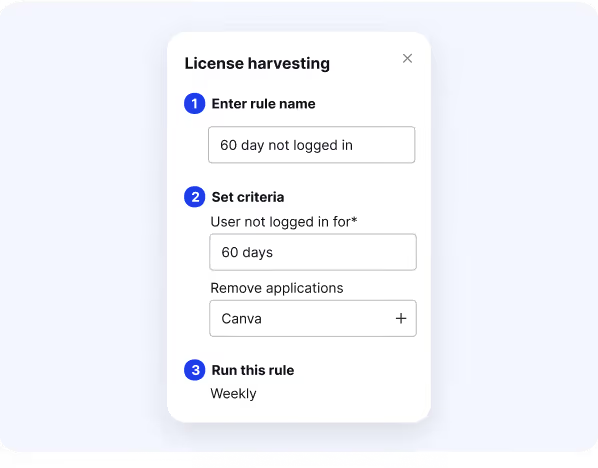
Overlapping license tiers assigned to the same users get flagged in the same pass. The dashboard tracks potential savings against savings realized.
RingCentral used this flow to find 320 duplicate apps and remove $250K in redundant spend from its annual SaaS budget.
We didn't have centralized visibility to identify apps with overlapping functionalities. CloudEagle.ai provided a comprehensive view of our SaaS portfolio. The tool we had no central view of our SaaS portfolio, so duplicate tools with overlapping functionality were invisible until CloudEagle surfaced them. Once we could see which apps were redundant and who had access to them, the consolidation decision was straightforward.
- Eric Silver, AVP, Head of Procurement, RingCentral
G. Get Alerted Before a New Duplicate Is Bought
CloudEagle.ai monitors the stack continuously and alerts IT when a new unsanctioned tool appears. When someone requests an app that overlaps a tool the company already pays for, the request is flagged, and the self-service app catalog points them to the existing license instead of a new purchase.
What’s the Hidden Costs and Friction Created by Duplicate Apps?
Duplicate SaaS apps aren't just an operational inconvenience; they quietly increase costs in ways most organizations never track. Teams sign up for the tools they like, swipe credit cards for quick access, or adopt free tools that later convert to paid. And before anyone notices, redundant subscriptions create 10-25% avoidable spend buried inside budgets across the company.
On the surface, these overlaps seem insignificant. Underneath, they inflate SaaS spend, fragment workflows, and multiply access risks, all without delivering any additional value.
The most expensive part? Redundant spending you can't see.
- Multiple teams pay for their own Miro, Calendly, Notion, password managers, or call tools.
- Departments buy competing products for identical functions.
- Free tools often transition into paid subscriptions across multiple teams without proper oversight.
- Shadow IT purchases accumulate month over month.
This spend doesn't show up in dashboards; it hides in scattered budgets and uncoordinated purchases.
But redundant spending is only the beginning. Duplicate apps also create:
1. Fragmented Workflows and Scattered Data
Teams use different tools for the same process, splitting data across platforms and slowing collaboration.
2. Expanded Security and Access Risk
Every additional app introduces:
- Another identity to govern
- Another potential breach surface
- Offboarding gaps
- Privileged access you don't know exists
3. More Vendor and Renewal Overhead
Procurement handles multiple renewals, contracts, and approvals for tools that serve the same purpose, doubling admin work.
4. Lost Negotiation Power
Fragmented spend means:
- No volume discounts
- No vendor consolidation
- Paying a premium or retail pricing
- Weak enterprise leverage during renewal cycles
5. Heavy Manual Reconciliation
Teams rely on spreadsheets, surveys, expense reviews, license checks, and still miss hidden overlaps.
How Do Companies Find Redundant Software Across Departments?
Companies find redundant software by comparing what each department pays for, which category each tool sits in, and how many people use it.
These signals usually mean two tools overlap in function:
- Same category, different vendors, such as two e-signature or note-taking tools
- Same vendor billed on several cards or invoices
- The same users logged into both tools
- Usage on one tool dropped after a team adopted the other
- Separate owners and renewal dates for tools that do the same job
For a CFO or controller, finance data is the quickest place to start. Pull 12 months of card and AP transactions, filter for recurring software charges, and group them by vendor and department. IT then matches that list against SSO. By hand, this takes weeks and goes stale fast, which is why most teams move it into a platform.
Cut Duplicate Apps and Redundant Spend Before Your Next Renewal
You now know how easily duplicate apps slip into the stack and how much they drain in hidden spend, overlapping licenses, and tool sprawl. Spotting them early creates instant savings and tighter governance.
When you're ready to replace spreadsheets and guesswork with real visibility, CloudEagle.ai makes the entire process faster, clearer, and fully automated. It's the simplest way to cut redundant spend, right-size your stack, and keep every SaaS decision intentional.
FAQs
1. Which platforms detect unused or duplicate SaaS accounts automatically?
SaaS management platforms that combine finance, SSO, and direct usage data catch the most. CloudEagle.ai flags duplicate subscriptions, overlapping tools, and inactive licenses automatically across all three sources.
2. What types of tools surface duplicate vendor payments and subscription overlaps?
Expense tools catch repeated charges and SSO tools catch repeated logins. A SaaS management platform that reads both, plus contracts, connects a duplicate payment to the tool and team behind it.
3. What solution helps identify duplicate, inactive, or unnecessary applications?
An application rationalization tool that pairs usage with spend. CloudEagle.ai shows which apps overlap, sit idle, or can be cut at renewal.
4. How can I find orphaned AI subscriptions before renewal?
Most orphaned AI spend is personal ChatGPT, Claude, or Cursor plans expensed on corporate cards. CloudEagle.ai matches those charges against your enterprise tenants, so you can move users onto the company plan before the next renewal.
5. How can I reduce SaaS spend across overlapping and redundant applications?
Consolidate to one tool per function, reclaim idle licenses on the tool you keep, and route new requests through an app catalog. Most companies cut 10-30% of SaaS spend this way.
Your Stack Is Paying Twice Right Now